AI Cashier

Self-checkout for shops without an IT department

Teach the till a product in thirty seconds.

A camera looks at what the customer put down. The till matches each item against the products it has been taught and checks the basket by weight. A new product is five photographs and a price. No retraining, no model, no data team.

Windows 10 / 11, 64-bit. Works with any webcam, and has a demo mode with none. Unsigned installer: see the SmartScreen note.

      AI CASHIER  ·  SAMPLE SHOP
      RECEIPT        SALE-260902-1A2B
      02/09/2026            13:42
      ------------------------------
      Lay's Flat Original 75g   20.00
      Pepsi 325 ml              14.00
      Tasto Nori Seaweed 68g    20.00
      ------------------------------
      Subtotal                  54.00
      VAT 7%                     3.78
      TOTAL                     57.78
      ------------------------------
      basket 483 g  expected 483 g
      weight check            passed
      unknown packet     not charged
      taught today   Tasto Nori 68g
      ------------------------------
      sample, not a real sale
    
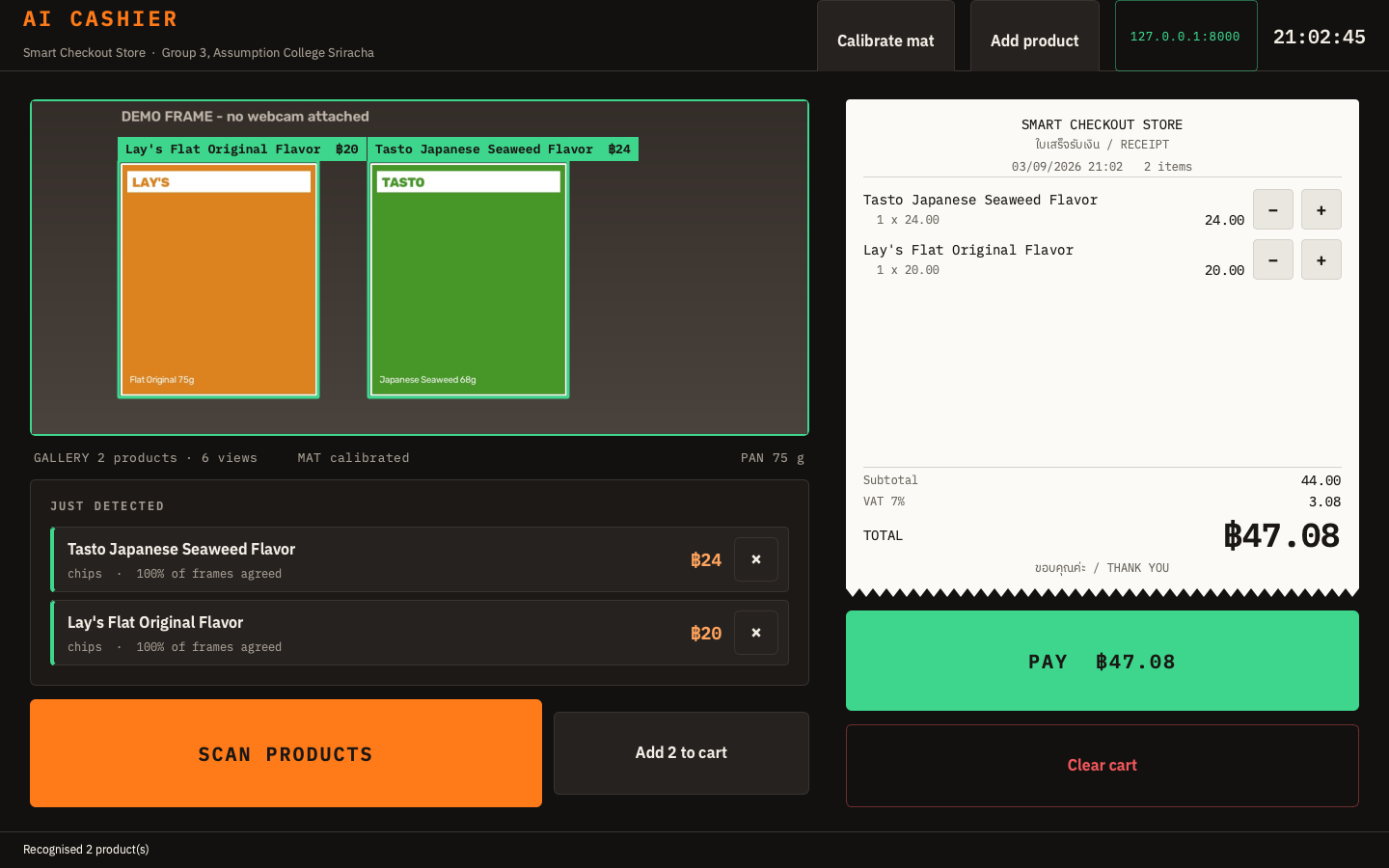
The till screen: the camera frame with two products boxed and labelled with their names and prices, a paper receipt strip on the right with both lines and the total, and a green PAY button.
The till. Two products found on the mat, each labelled on the frame with its price; the cart is the receipt the customer will hold.

How a sale runs

  1. 1

    Put it down

    The customer sets the items on the mat. One press of SCAN watches a few frames and looks each item up in the product gallery.

  2. 2

    Check the read

    Each product appears with its name and price. An item the till has never seen is flagged as unknown, not charged as the nearest thing, and can be taught on the spot.

  3. 3

    Pay

    The basket weight is checked against the cart, a PromptPay QR is shown for the total, and on confirmation the sale is written and stock comes down.

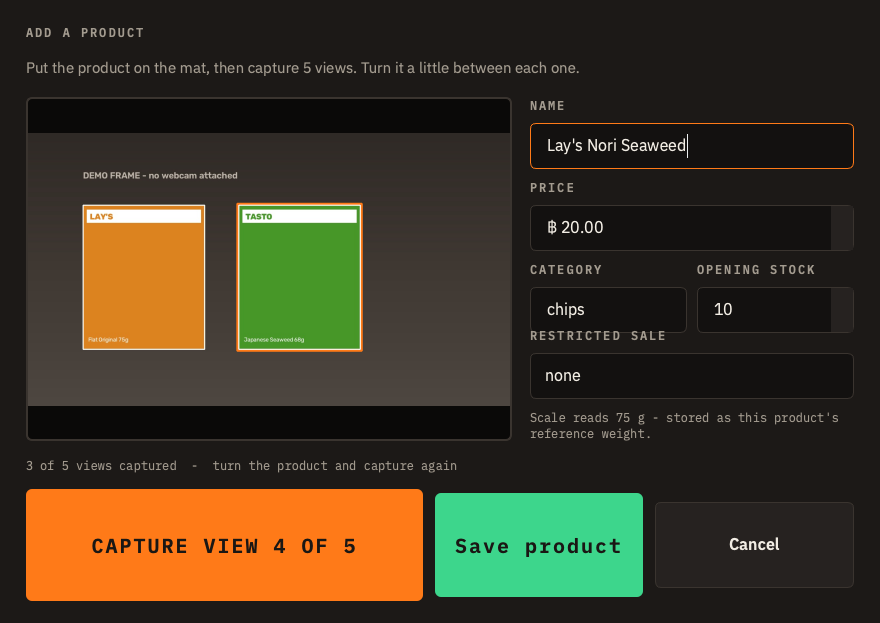
The Add a product dialog: camera preview with the product outlined, name, price, category, stock, a restricted-sale picker, and the scale reading 75 g.
Teaching a product: five views, a name, a price. The scale records its weight.
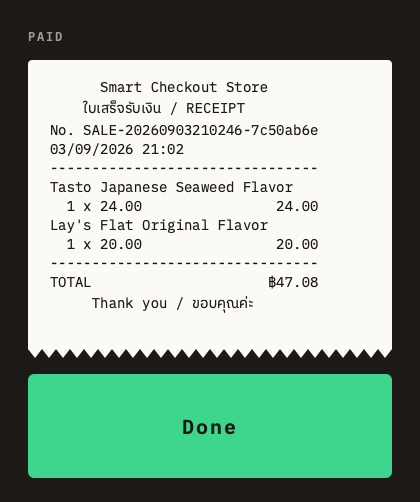
The printed receipt after payment: store name, two lines, the total, a torn bottom edge.
Paid: the receipt as the printer prints it, thirty-two columns, VAT lines only for a VAT-registered shop.
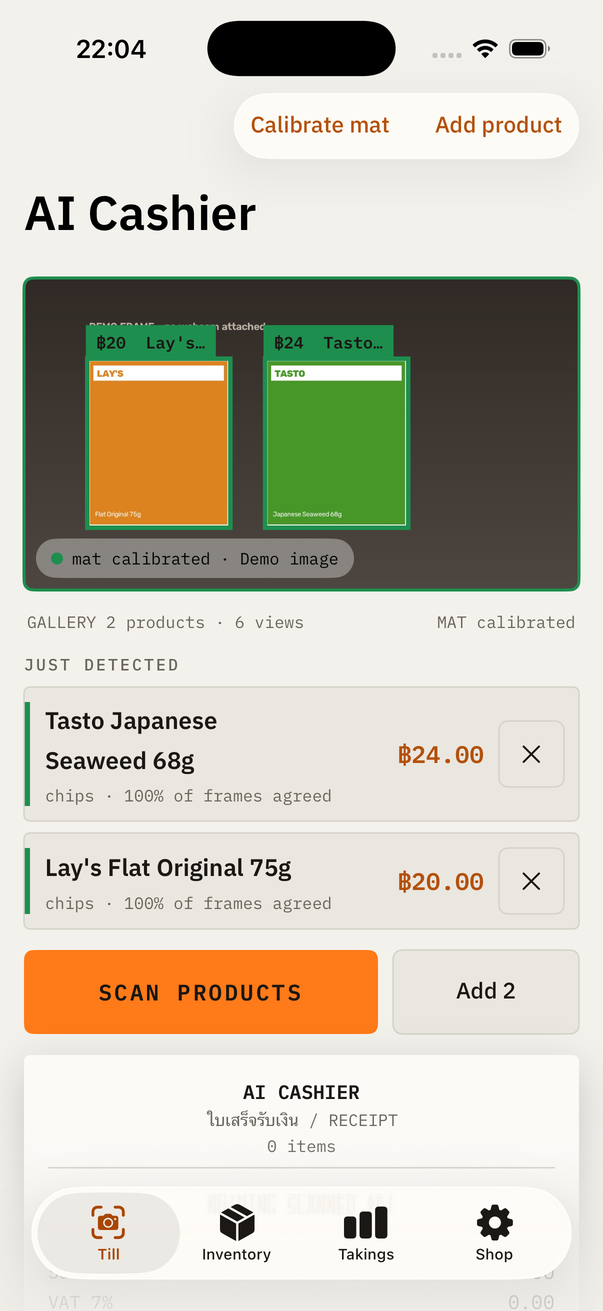
The iPhone app: the same camera frame with both products labelled, the detected list with prices, and the receipt strip.
The whole till on an iPhone, with the phone's camera.
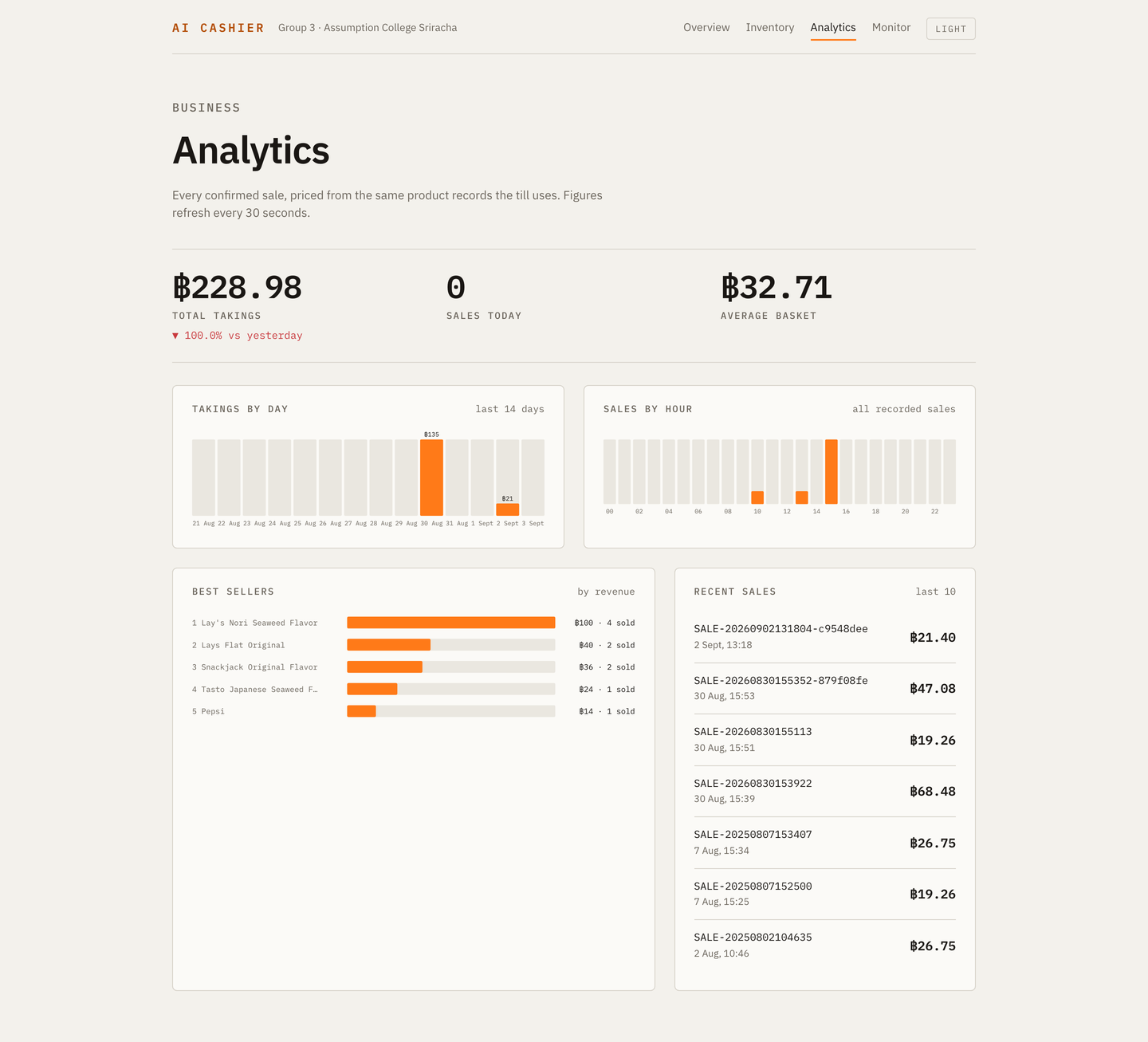
The owner's dashboard: total takings, sales today and average basket set like receipt totals, takings by day and sales by hour as bar charts, best sellers, recent sales.
The shopkeeper's ledger, in the browser on the same machine or over the shop's Wi-Fi: takings by day and hour, what sells, what is running low.

What it refuses to do

Most of the engineering went into the things a naive camera till gets wrong.

Get it

Windows

Installer

The full till and its dashboard, for a laptop with a webcam. Installs per user, no admin prompt. Start it in demo mode with no camera at all.

Download AI-Cashier-Setup-Windows.exe latest release

Checksum: SHA-256 · all releases

"Windows protected your PC"

The installer is not code-signed, so SmartScreen shows a blue warning the first time. Click More info, then Run anyway. Do this only for a file you downloaded from this page or from the GitHub releases page, and check the SHA-256 if you want to be sure.

iPhone

Build it yourself

The whole till runs on an iPhone with its own camera: teach, scan, cart, PromptPay, inventory. It is not on the App Store, so you build it once with Xcode and a free Apple ID.

  1. Clone the repository on a Mac with Xcode 26.
  2. Open ios/AICashier, sign in with your Apple ID under Signing.
  3. Plug in the iPhone, turn on Developer Mode, press Run.

A free Apple ID installs for seven days at a time; a paid developer account lifts that. Details in ios/README.md.

Raspberry Pi

The real rig

A Pi 5, a webcam on a stand, a ring light, a 5 kg load cell, four printed markers. What to buy, how to wire it, how to calibrate it.

docs/HARDWARE.md

The research behind it

The till is a retrieval system, not a classifier: propose, embed, match against a gallery, fuse with weight and size. The repository carries the experiment harness (E1 to E9), a paper draft with a verified bibliography, a dossier on Thai law and the self-checkout market, and a review of every architectural decision with its evidence.